Part 1: Getting Started with Microsoft Azure – Foundations & First Steps
Introduction
Cloud computing has changed the way we build, deploy, and scale applications. Instead of buying expensive servers and managing them in-house, today you can simply rent computing power and services over the internet.
Among the major cloud platforms — Amazon Web Services (AWS), Google Cloud Platform (GCP), and Microsoft Azure — Azure stands out because it’s deeply integrated into the Microsoft ecosystem. If you’re already using Windows, Office 365, or Active Directory, learning Azure feels natural.
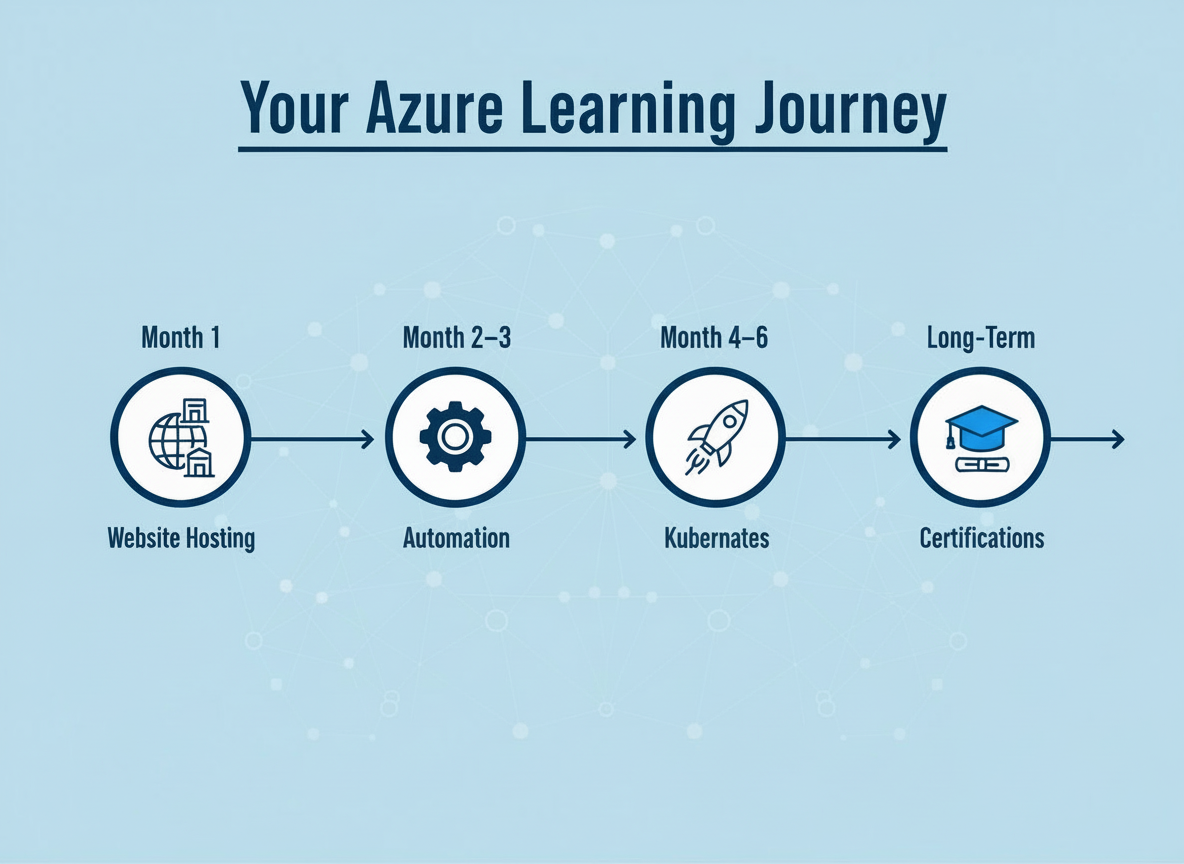
This guide is Part 1 of a two-part series. Here we’ll cover the basics of Azure, why it matters, real-world use cases, and how to take your first steps. In Part 2, we’ll explore common mistakes, best practices, and a structured roadmap to keep growing.
What is Microsoft Azure? (The Simple Explanation)
Azure is Microsoft’s cloud computing platform. It provides on-demand access to computing resources (like servers, storage, and databases) plus advanced tools for AI, DevOps, and networking.
Instead of:
- Buying a physical server
- Setting up cooling, electricity, and security
- Maintaining it with IT staff
👉 You can spin up a virtual server in minutes using Azure and only pay for what you use.
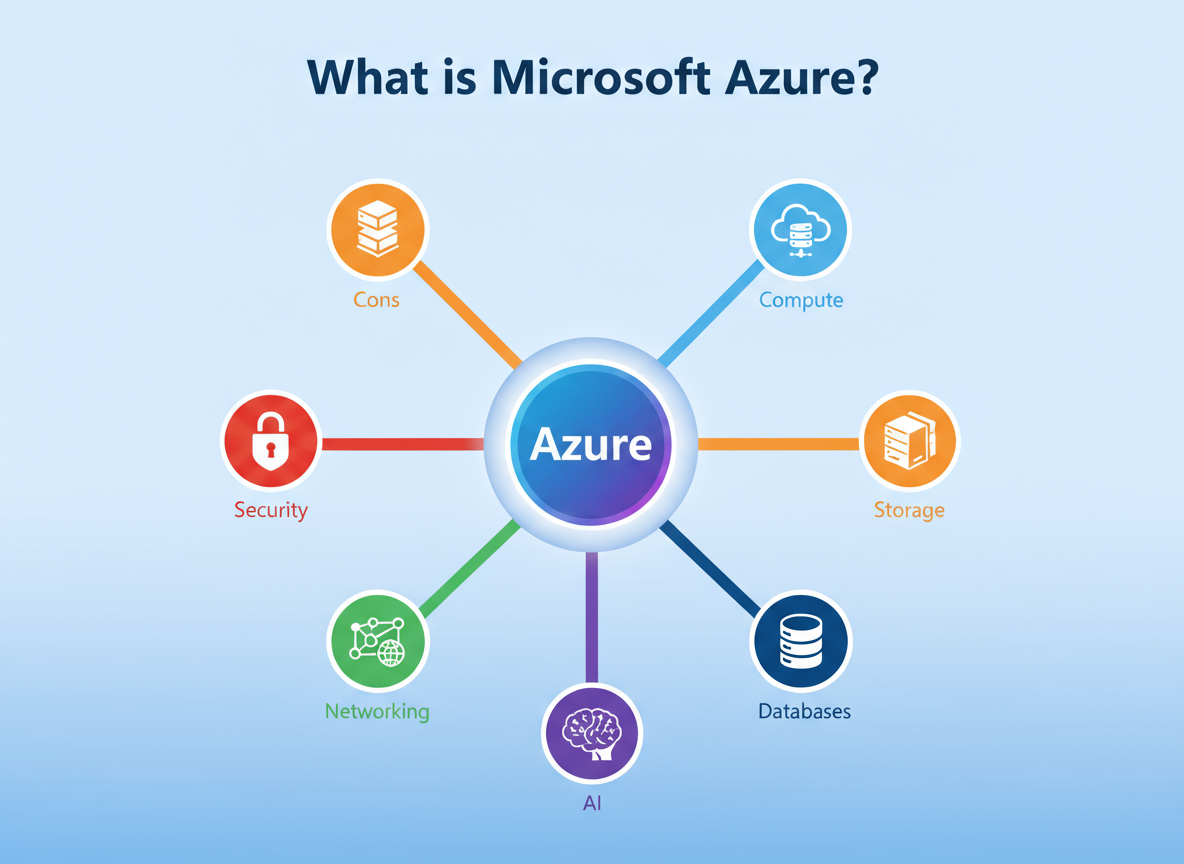
Azure Service Categories (Beginner-Friendly Overview)
Azure services are grouped into categories. Here are the most useful ones for beginners:
- Compute → Virtual Machines (VMs), App Services, Kubernetes Service (AKS).
- Storage → Blob Storage, File Storage, Disk Storage.
- Databases → Azure SQL Database, Cosmos DB, MySQL/PostgreSQL as a service.
- Networking → Virtual Networks, Load Balancers, VPN Gateways.
- AI & Machine Learning → Azure Cognitive Services, Machine Learning Studio.
- DevOps & Development → GitHub Actions, Azure DevOps pipelines.
👉 Don’t worry if this looks overwhelming — most beginners start with Compute, Storage, and Databases, then gradually move into Networking and AI.
Why Learn Azure in 2025?
- Career Growth: Cloud computing skills are among the most in-demand globally.
- Business Agility: Companies want to scale quickly — Azure makes that possible.
- Hybrid Cloud Edge: Azure supports on-prem + cloud hybrid setups better than AWS or GCP.
- AI Integration: Azure’s AI/ML services (like OpenAI API, Cognitive Services) are already used in industries from healthcare to retail.
👉 According to LinkedIn’s 2025 Job Report, cloud computing ranks in the top 3 skill categories for IT professionals.
Real-World Beginner Use Cases for Azure
Even as a beginner, you can create useful projects:
- Host a Resume Website → Use Azure App Service.
- Photo Backup System → Store and organize images with Blob Storage.
- Chatbot for FAQs → Build with QnA Maker + Cognitive Services.
- Mini E-commerce Store → Use App Service + SQL Database.
- IoT Data Tracking → If you have sensors, Azure IoT Hub can collect and analyze data.
Azure vs Competitors – Why Pick Azure First?
| Feature | AWS | GCP | Azure |
| Ease of Use | Complex for beginners | Good UI, fewer services | Clean interface, strong docs |
| Ecosystem | Broadest | Strong in AI/ML | Best if you use Microsoft tools |
| Hybrid Cloud | Limited | Decent | Market leader (Azure Arc, Stack) |
| Global Reach | Largest | Moderate | 60+ regions, close to AWS |
👉 If you’re just starting, Azure strikes a balance: powerful enough for enterprises but friendly enough for beginners.
Azure Free Account (Best Way to Start)
When you sign up:
- $200 free credits for the first 30 days.
- 12 months of free tier services.
- Examples:
- 750 hours of VM (Linux/Windows)
- 250 GB SQL Database
- 5 GB Blob Storage
- Free AI API calls
- 750 hours of VM (Linux/Windows)
👉 Use this wisely — start small, try basic services, and keep track of usage.
Beginner-Friendly Tools You’ll Love
- Azure Portal → GUI dashboard for everything.
- Azure CLI → Command-line interface for faster automation.
- ARM Templates → Infrastructure as Code (reusable).
- Azure Marketplace → Pre-built apps like WordPress, Joomla, Drupal.
- Azure DevTest Labs → Safe environment for testing without billing surprises.
Wrap-Up for Part 1
By now, you should know:
- What Azure is and why it matters.
- Key service categories.
- Real-world beginner use cases.
- Why Azure is a great choice over competitors.
- How to start with a free account.
👉 Ready for the next step? In Part 2, we’ll cover common beginner mistakes, best practices, and a clear roadmap so you don’t just start with Azure but also grow confidently.